Automations
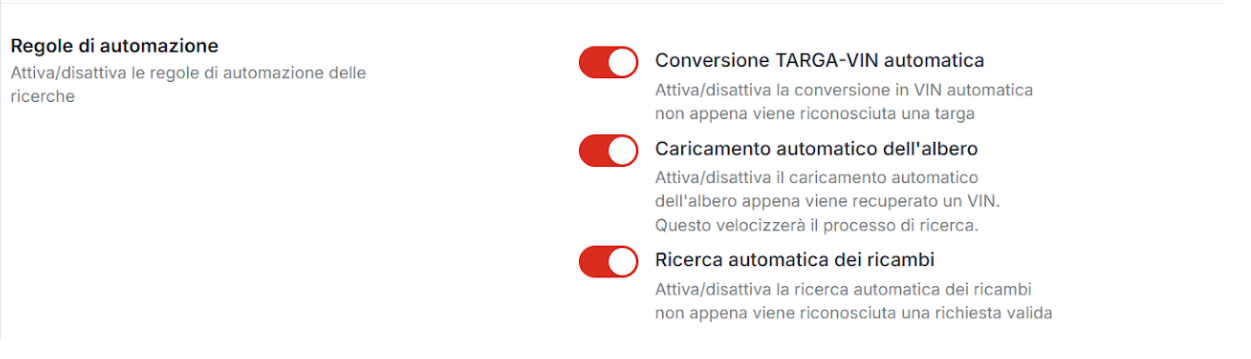
Automation rules allow you to activate automatic activities that work on searches and can be enabled or disabled as needed.
These automations allow you to work in a more direct and faster way:
as soon as a quote request is received, the system automatically starts searching, behind the scenes, for:
- license plates
- VINs
- spare parts
Credit warning
PLEASE NOTE
Active automations automatically consume the credits of your account.
It is therefore important to take this cost component into account.For more details, see the “Credits” section.
Available automations
The automations that can be enabled or disabled are the following:
-
Automatic license plate → VIN conversion
As soon as a license plate is recognized, it is automatically converted into a VIN. -
Automatic tree loading
As soon as a VIN is available, the VIN search is performed and the tree with exploded views is automatically loaded. -
Automatic spare parts search
Automatically starts the search for parts (for example air filter) within the VIN exploded views.
Consumption control
If the activity needs to limit credit usage, administrators can combine automations with the blocking settings described on the Credits page.
This makes it possible to prevent license plate-to-VIN conversion or VIN search from running when they should not consume credits.