Delivery shifts
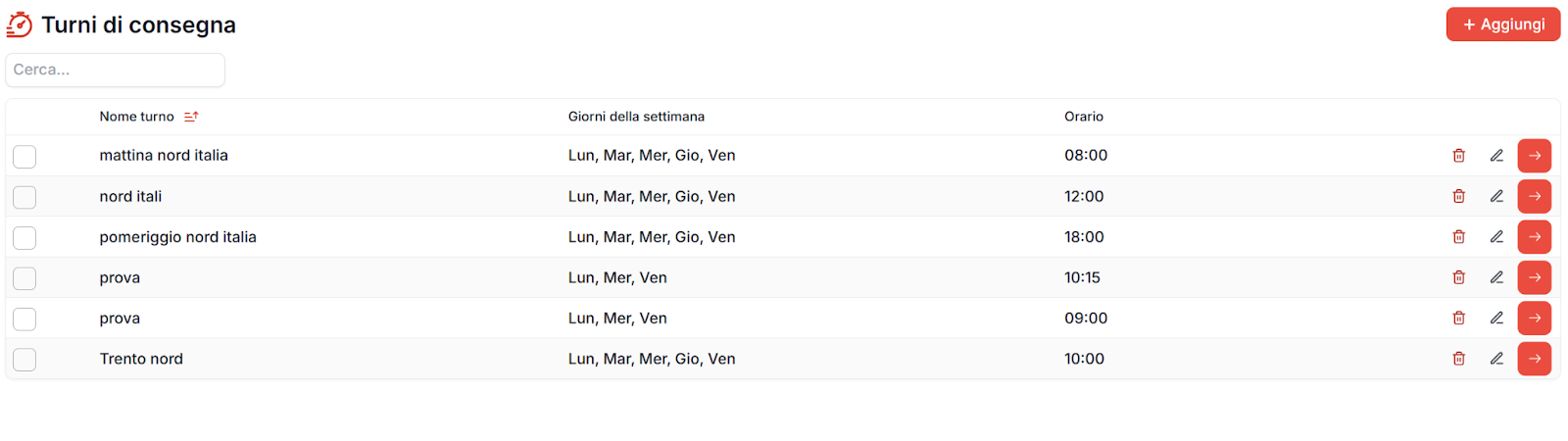
You can create and manage delivery shifts from the dedicated item in the menu.
By clicking the menu, the list of existing delivery shifts is shown.
To create a new shift, simply click the red button at the top right
“+ add”.
Assigning shifts to companies
Once a delivery shift has been created, you can assign it to one or more companies.
The assignment can be performed from different points in the application
(inside company management), but the recommended method is to proceed in bulk.
To do this:
- enter the delivery shift to which you want to assign companies
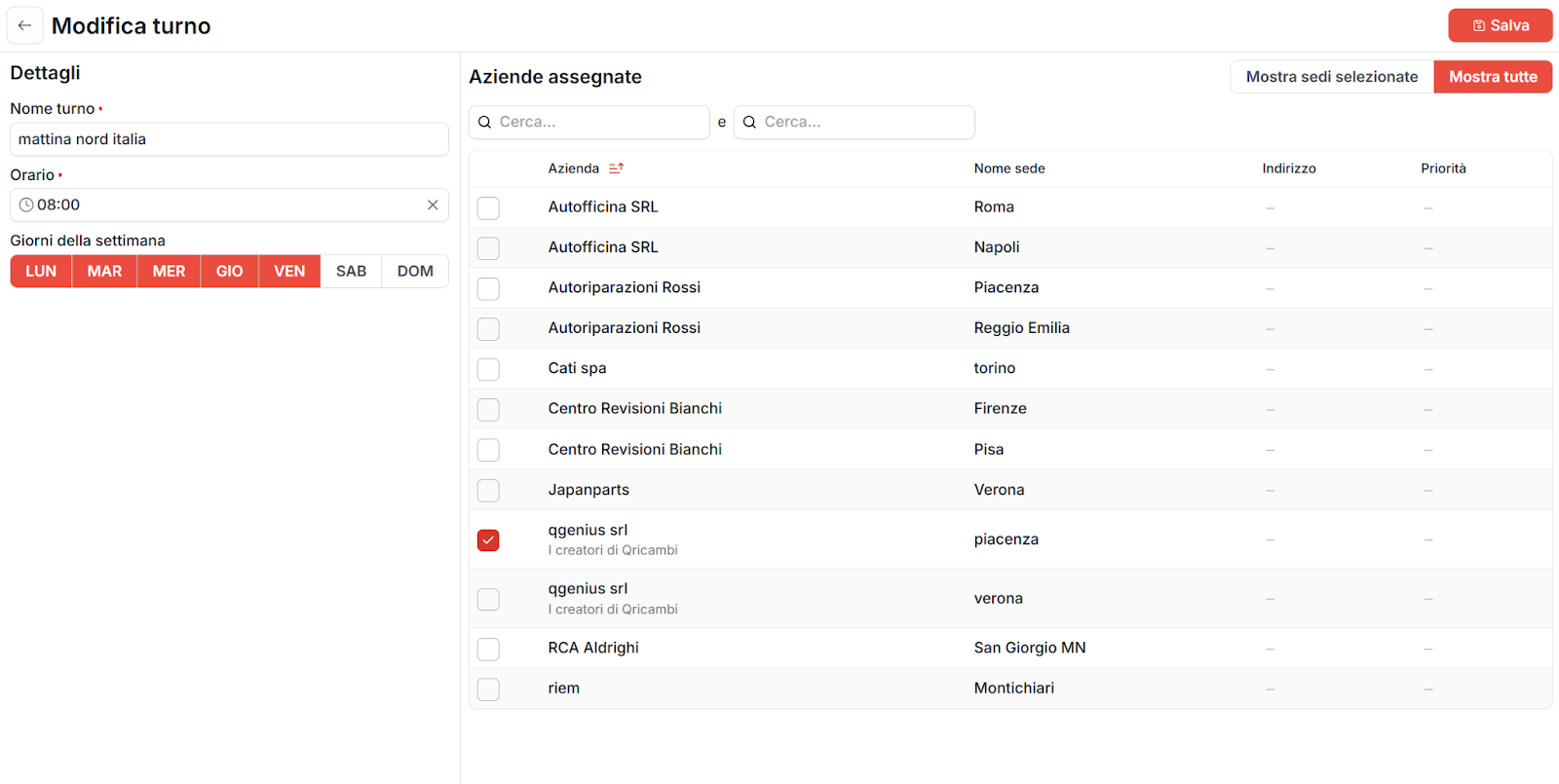
- use the shift edit screen
Bulk assignment through filters
From this screen you can:
- filter companies
- select multiple companies at the same time
- assign the shift in bulk
- save the changes
Filters can also use company registry data, for example:
- city
- notes
- administrator notes