Companies
The “Companies” section is also available in the menu at the top right.
This page shows the list of companies present on your Quoting24 account*.
Unlike contacts (which are created or updated from the WhatsApp channel and by operators), companies are created by the operator, manually or from Excel, or by the Widget channel when the site sends external_id together with company_name.
By account we mean the phone number:
each phone number associated with Quoting24 has its own contacts, companies and delivery shifts.
Creating new companies
Two methods are available for creating new companies, accessible through the buttons at the top right of the screen:
-
Import from Excel file
Allows you to upload multiple companies at the same time through a structured Excel file. -
Manual add and edit (
+ Add)
Allows you to enter a single company by filling out the form manually.
Both methods allow complete and independent management of the companies associated with your Quoting24 account.
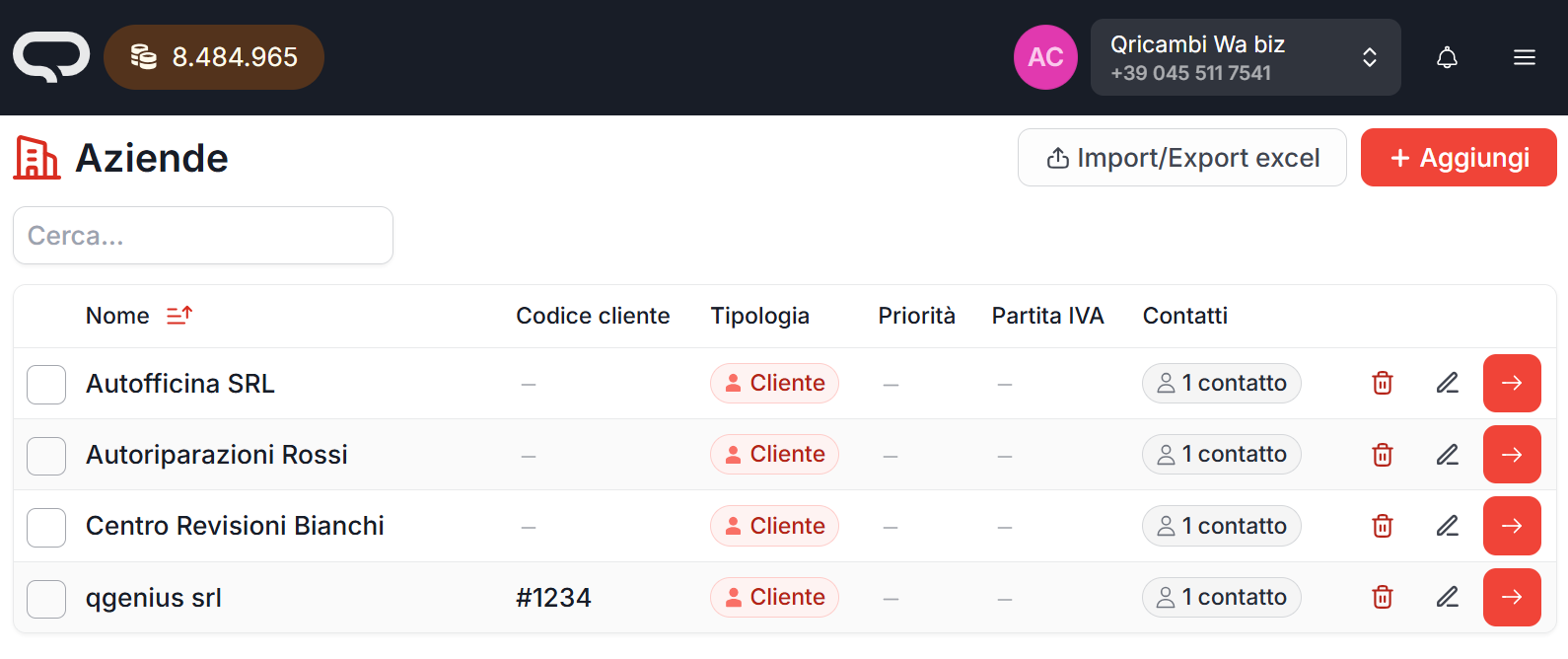
Using the “+ Add” button, you can create a new company by filling out the dedicated form.
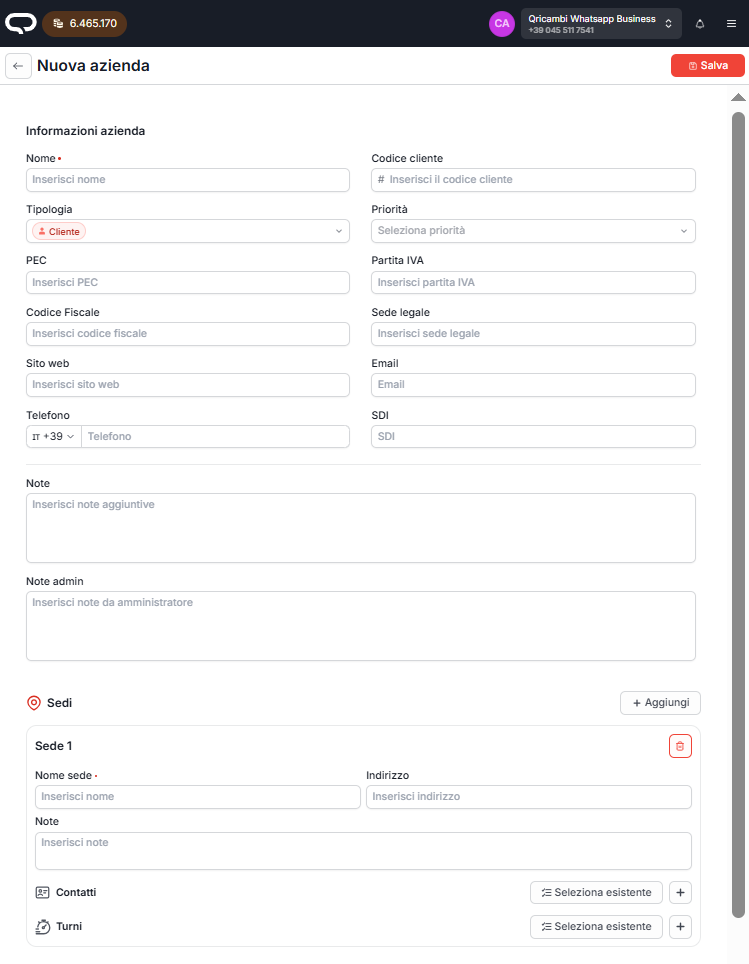
This same screen also allows you to edit existing companies (by clicking the pen icon).
Importing companies through Excel
To import multiple companies at the same time through an Excel file:
- click the “Import/Export excel” button
- on the next screen, click the red “Import” button
- upload the Excel file from your computer
It is also possible to download a sample file to check the correct formatting to use in the file to upload.

During the company import phase through Excel, it is recommended to enter notes inside the file, so as to make it easier to associate delivery shifts.
Company priority and type
On a company you can set:
- a priority (High, Medium, Low)
- a type (customer, supplier, collaborator, …)
These values affect linked contacts:
- company priority is inherited by contacts without their own priority; the contact can still override it
- company type is inherited by contacts and cannot be changed on the contact while a company is assigned
In the ticket list, the tag color next to the name reflects the effective type (company or, for contacts without a company, the personal type).
Company priority and type can also be edited from the ticket Information tab, in the company section at the bottom.
Contact details: Contacts → Priority and Contacts → Type.
Web code (web_code)
web_code is the reference the widget uses to recognize the company. The site sends the same value in the public field external_id. The widget payload has no web_code field.
If you load the registry before connecting the site, write in web_code the same value the site will send in external_id. Do not use the Quoting24 internal UUID or the ERP code companies.code.
| Situation | Result |
|---|---|
web_code equals external_id |
The widget contact is linked. The company name and email stay as already saved |
No match, and the site also sends company_name |
Quoting24 creates the company (name, web_code, email if present) and links the contact |
Several companies with the same web_code |
Public initialization uses the first one, by ascending creation date |
"052" and "52" are different codes. Spaces inside external_id are not removed. web_code has no uniqueness constraint: avoid duplicates, because two simultaneous creations can produce them.
The link made by the widget does not update a company that already exists and does not open the history of the other contacts. Full contract: Widget technical integration.
Company notes
Companies can have operational notes linked to their registry data.
These notes help operators quickly retrieve useful information while managing a ticket, for example commercial instructions, internal references or specific working conditions.
When working on a ticket, company notes can be quickly viewed and edited from the request Information tab (company section at the bottom).