Labels
A ticket can have more than one label. Labels classify the request and, when automatic assignment is on, send it to the operators linked to those labels.
In the ticket list, up to 3 labels show as icons. Extra labels appear as +N. If the name does not fit, only the icon remains and the name is in the tooltip.
Three kinds of label
| Kind | Who creates it | Who can assign it |
|---|---|---|
| Custom | The room | Operators |
| AI | The room, with “assign with AI” on (AI Premium only) | Operators and the premium agent |
| Default | Already present in every room | Operators and the classifier |
Labels set by an operator are never removed automatically. The classifier and the agent only add labels.
Default labels
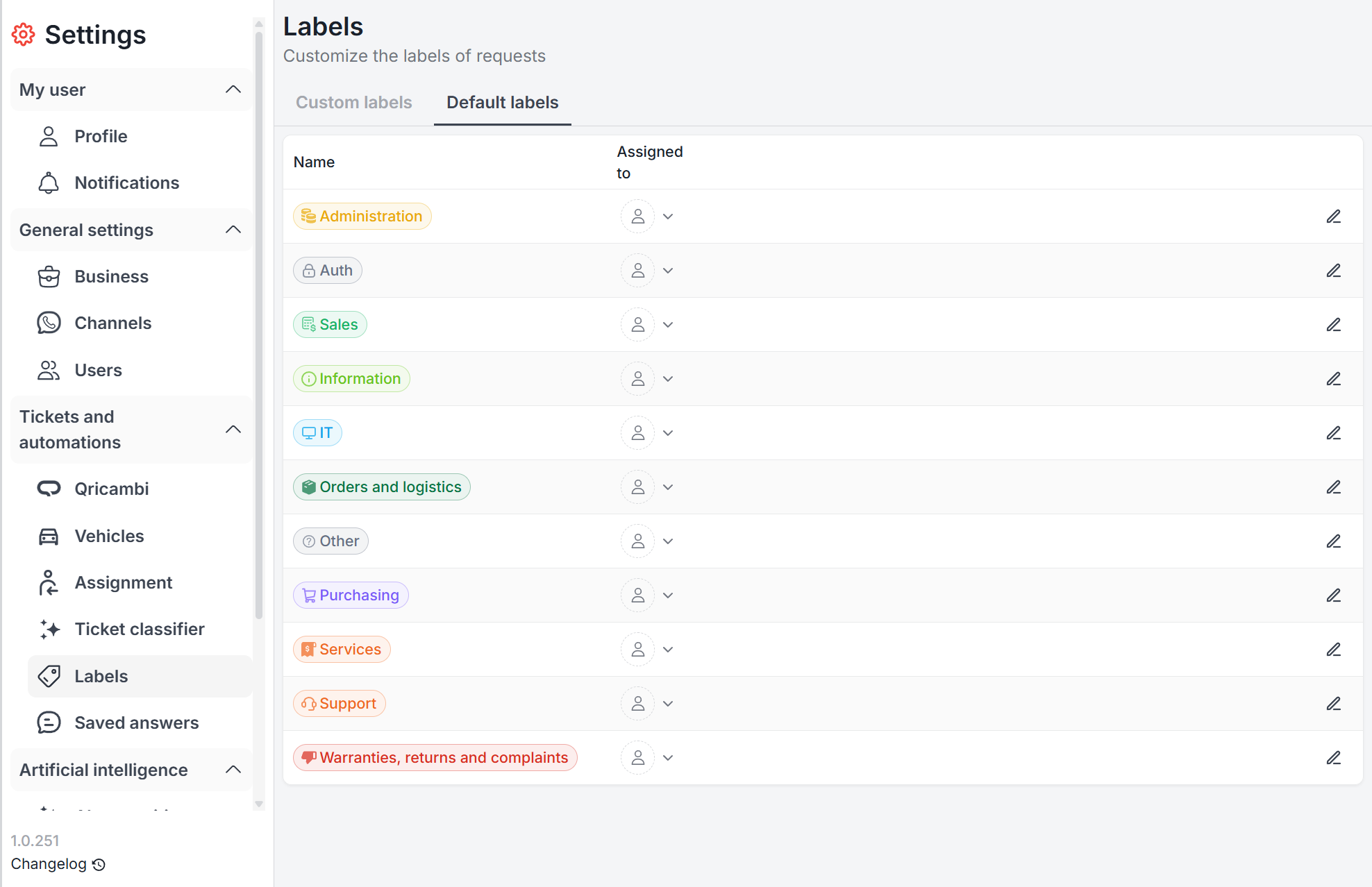
There are 11, the same in every room:
- Information
- Sales
- Orders and logistics
- Purchasing
- Warranties, returns and complaints
- Support
- Administration
- IT
- Services
- Auth
- Other
They cannot be renamed or deleted. You can change the color and the assignees.
They are in Settings → Tickets and automations → Labels, tab Default labels.
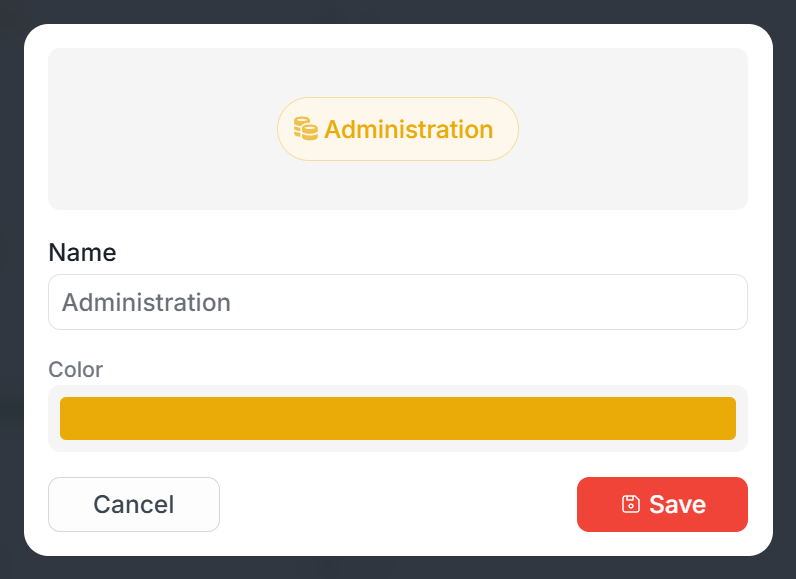
With AI lite there is no automatic categorization. Default labels can still be assigned by hand. On that module the default-labels tab is hidden.
Custom labels
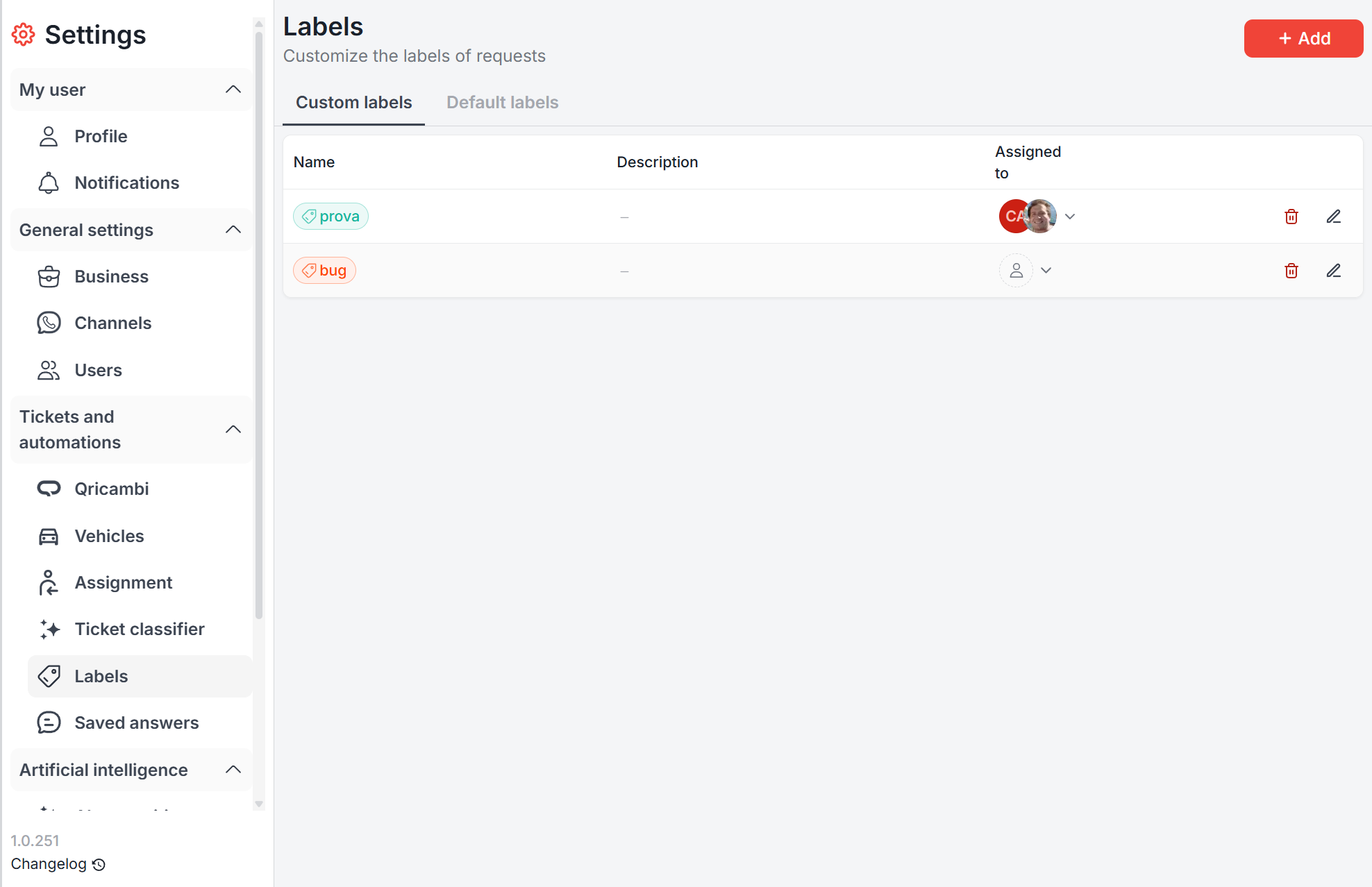
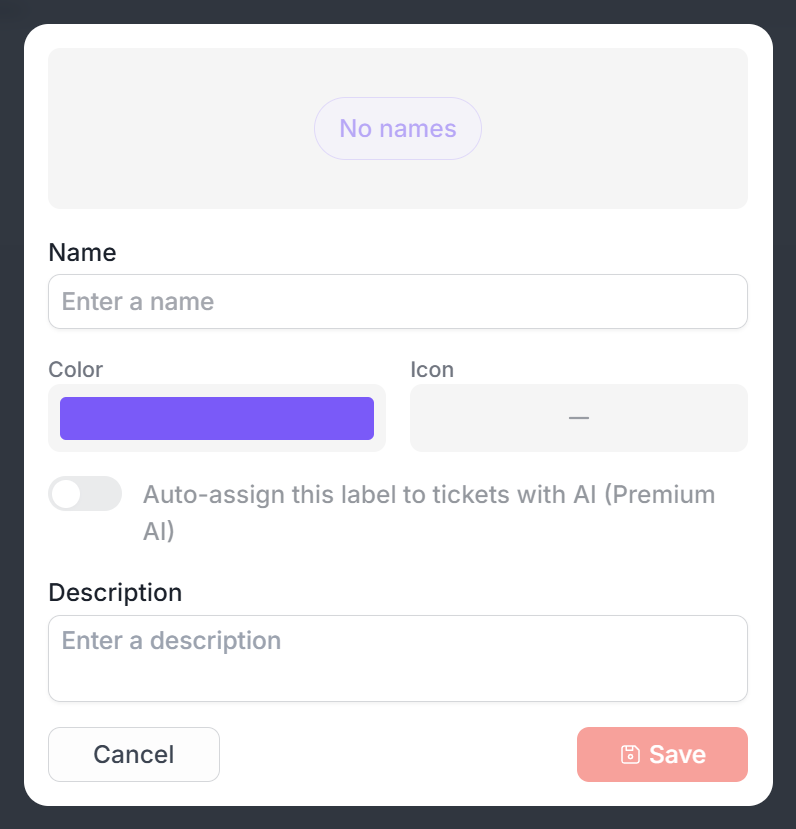
On the Custom labels tab, Add creates a room label: name, color, icon and description.
With AI Premium you can turn on Auto-assign this label to tickets with artificial intelligence. The agent uses it only when the description clearly says when to apply it. These labels show an AI badge in the list.
Assignees are set in the Assigned to column. If automatic assignment is on, a request with that label goes to them.
Automatic categorization
Each room chooses who applies labels automatically, in Settings → Tickets and automations → Ticket classifier. Save with Save changes.
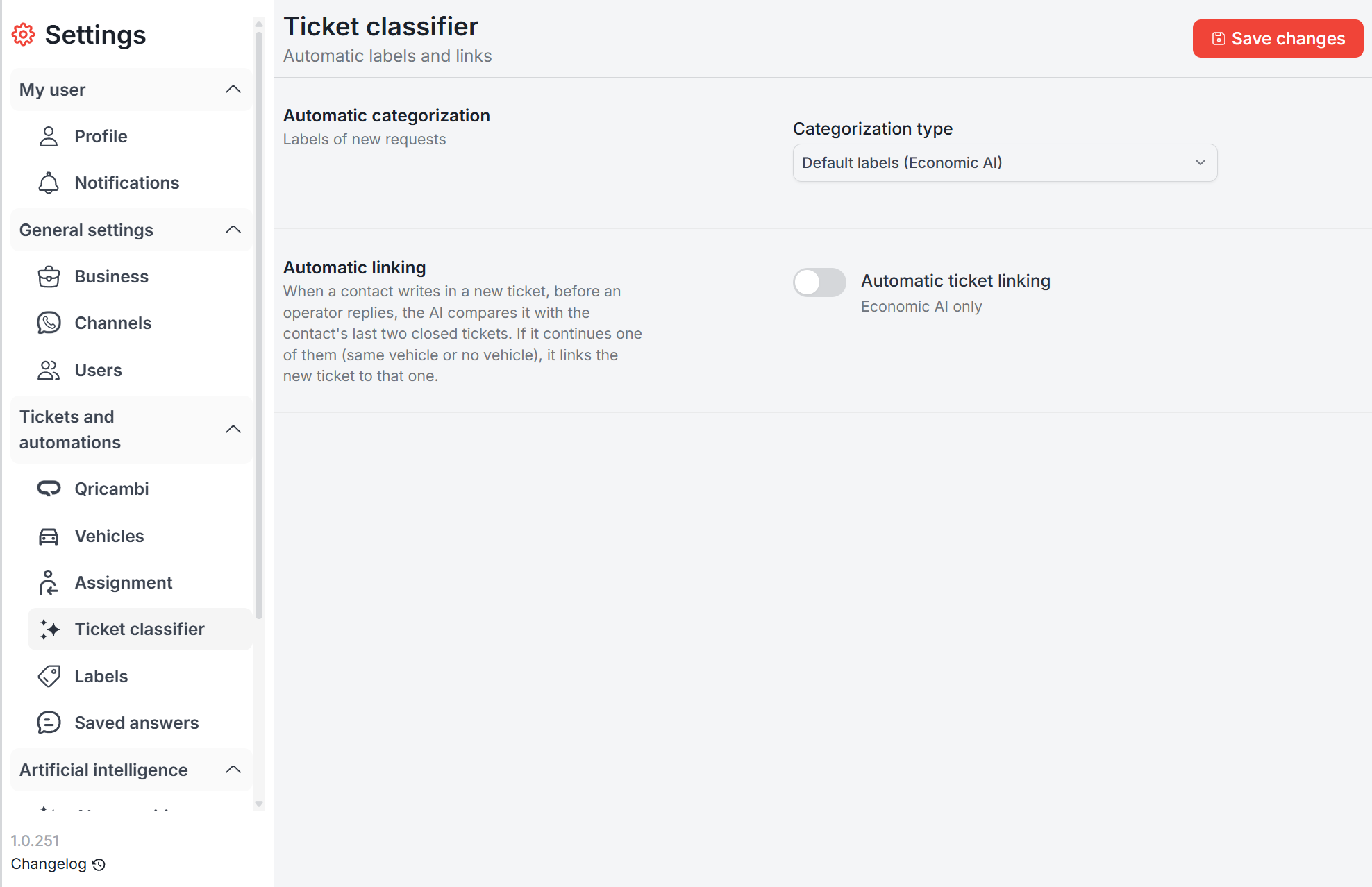
| Option | What happens | Who |
|---|---|---|
| Off | No automatic labels, manual only | Everyone |
| Default labels (economic AI) | The classifier applies the default labels | Economic AI only |
| AI Premium | The premium agent applies the room’s AI labels | AI Premium only |
When the room’s AI module changes, the option follows:
- Premium → AI Premium
- Lite → Off
- Economic, if it was previously Premium or Lite → Default labels. If it was already economic and off, it stays off
The classifier labels only the customer’s first messages. It stops as soon as an operator replies, writes an internal note, or sets a label.
Urgency
Three levels:
- Low — greetings, thanks, spam
- Normal — quotes, orders, invoices
- High — a part needed today, a vehicle waiting in the workshop, a late or wrong delivery, a payment due
High urgency tickets show a warning icon in the list.
With economic AI the classifier sets it on every new group of customer messages. With AI Premium the agent sets it.
Simple messages
Many customer messages are small talk or practical arrangements (“thanks”, “ok”, opening hours, pickup) and do not need parts recognition.
With economic AI, when the classifier is confident enough and the message is text or voice only, parts recognition does not start. Images and files always go through recognition.
Linking to earlier tickets
On the same Ticket classifier page, Automatic ticket linking is off by default. It is available only with economic AI.
When a contact writes in a new ticket, before an operator replies, the AI compares it with the contact’s last two closed tickets. If it continues one of them (same vehicle, or a ticket with no vehicle), it links the new ticket to that one and the earlier conversation shows in the chat.
It links only when it is very sure, so it sometimes skips a link it could have made. It does not run on a ticket that is already linked.
When they run
| Function | Runs only if… |
|---|---|
| Classifier | the room has economic AI, new customer messages arrive, and the classifier is configured |
| Urgency | on every new group of customer messages |
| Simple messages | the new messages are text or voice only |
| Automatic labels | the room is on “Default labels”, no operator has written in the ticket yet, and no operator has set a label |
| Linking | it is on, no operator has written in the ticket yet, the contact has closed tickets (only the last two), and the ticket is not already linked |
If the classifier is not configured, Quoting24 still works: it simply does not classify.
How to use them
- By hand: on the ticket, the Label field accepts one or more labels (custom and default).
- Automatic labels: in Ticket classifier choose “Default labels (economic AI)”, then set the assignees of each default label.
- Premium agent: create labels with AI assignment and write a clear description.
- Linking: turn it on if customers tend to write again about requests that are already closed.
- Urgency: watch the warning icon in the ticket list.
Room settings are visible to admins, owners and superadmins.