Email channel
From Settings → Channels you connect the mailboxes Quoting24 uses to receive and send email. Each channel shows its name, identifier and connection state. Customize sets the name, icon and color: the channel tag appears on tickets when more than one channel is active.
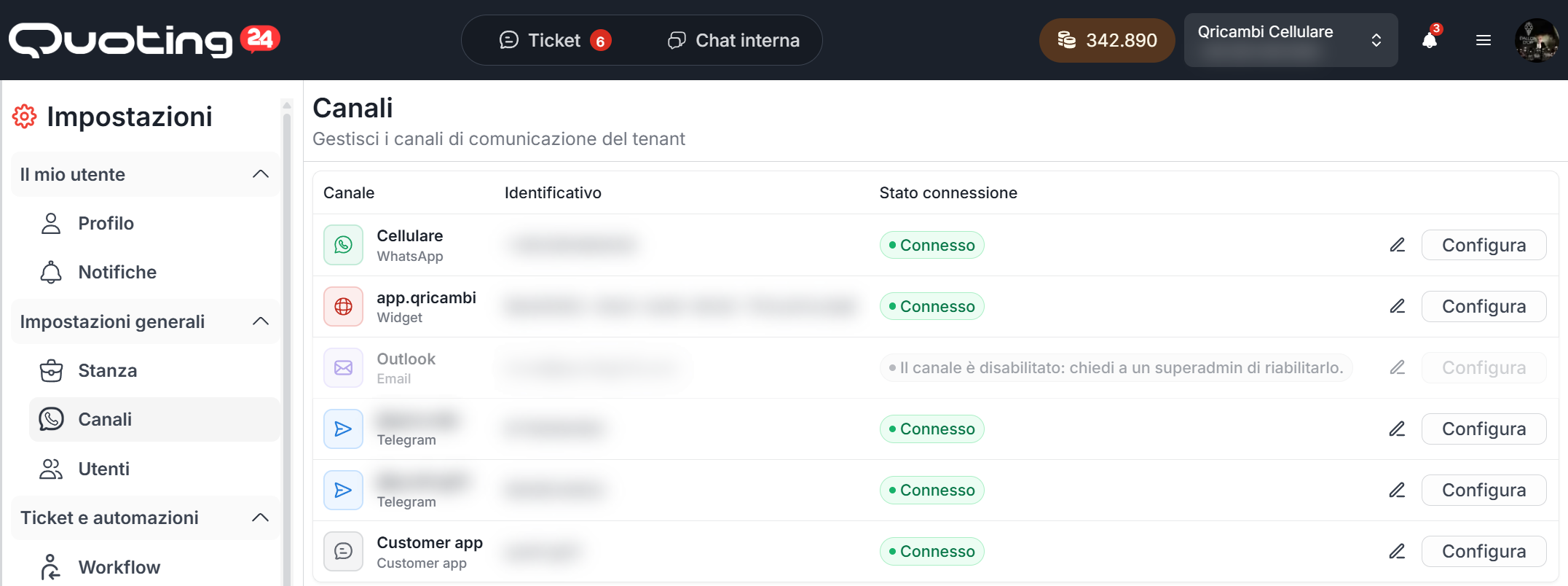
Open Configure to connect the mailbox in one of two ways:
- Connect with Microsoft, for Microsoft mailboxes
- Connect IMAP/SMTP, with host, port, TLS and credentials. Gmail needs an app password
Only tenant owners and administrators configure email channels. If the channel is disabled, Configure stays off until a superadmin enables it again.
Mailbox signature
In Configure, Email signature is added automatically to emails sent from that mailbox.
Write it in Normal mode or in Advanced mode, with HTML. Preview shows the result and Remove deletes it. Logos and images need a public HTTPS URL.
It is separate from the profile signature used on WhatsApp messages.
Other sending addresses
On the same screen, Other sending addresses adds up to 20 addresses the account can send from. Replies use the address the customer wrote to. Sending permission is not checked here: the mailbox must already be allowed to send from those addresses.
Writing an email
An email ticket has To, CC and Bcc, plus the Subject. The actions are Reply, Reply all and Forward.
You can paste PNG, JPEG or GIF images into the body. When the message is read they stay marked as Image in the text.
The draft is shared with colleagues on the same ticket and shows Saved once it is stored. If a colleague changed the same fields, choose Keep my changes or Use shared values.
A new email ticket can list several Contacts and several Companies.
Analyse
On a received email, Analyse has the AI read the text, the photos and the PDFs, and fill in the vehicle and the requests on the ticket.
While it works you see The AI is reading the email…, then Email read by the AI. It only reads received emails, with the ticket open and AI reading turned on for the tenant.
An attachment can be skipped. The reason is shown beside it: unsupported format, file too large, too many files, unreadable file, file unavailable, PDF reading turned off, or AI turned off.
Incoming emails can also start a workflow.