General overview
Quoting24 is a platform designed to centrally and intelligently manage quote requests received via WhatsApp, integrating automation, spare parts search and collaboration between operators.
This overview will help you understand:
- how the interface is organized
- how the workflow works
- which main features are available
The main screen
Once logged in, the user is directed to the main screen of Quoting24.
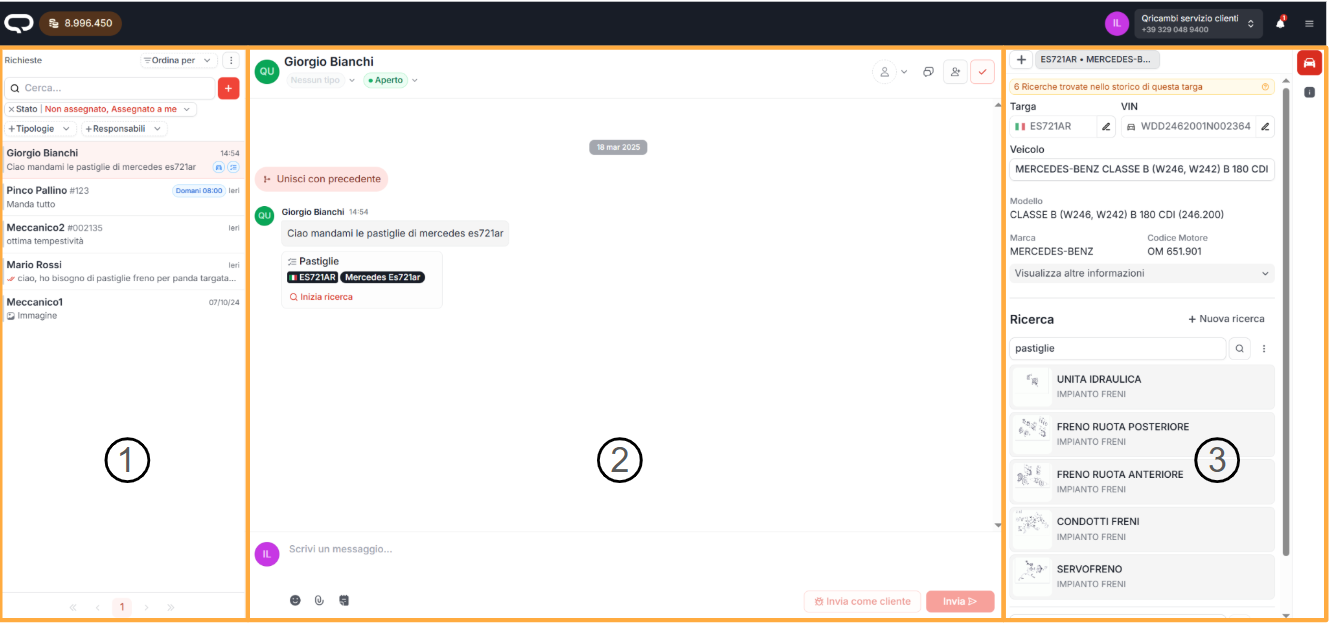
The screen is divided into three main areas, which work together to turn a WhatsApp conversation into a structured quote.
1. Request management (chat and tickets)

Each request received from a customer is managed as a ticket.
Unlike traditional WhatsApp:
- each new quote request generates a separate ticket
- tickets can be assigned, put on pause, marked unread, closed or resumed
- work is distributed among multiple operators in an organized way
From this section you can:
- sort and filter tickets (assignee outside, other filters in the funnel)
- open new requests from home or from Contacts
- monitor the team's work status
For each conversation there is only one writable ticket: a closed ticket is not reopened by hand. Details in Ticket management.
👉 Learn more:
2. Conversation with the customer
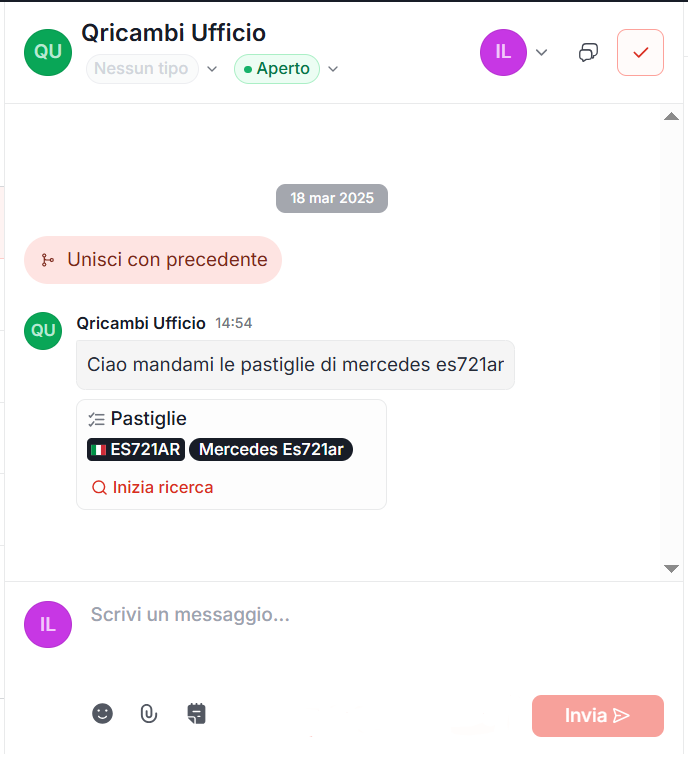
This is the area dedicated to direct communication with the customer.
From here you can:
- send and receive messages
- attach photos, videos and documents
- add internal notes visible only to colleagues
- use saved responses to speed up communication
Quoting24 automatically analyzes messages:
- transcribes voice messages
- recognizes license plates, VINs and spare parts references
- prepares the data required for the quoting phase
👉 Learn more:
3. Vehicle and spare parts search
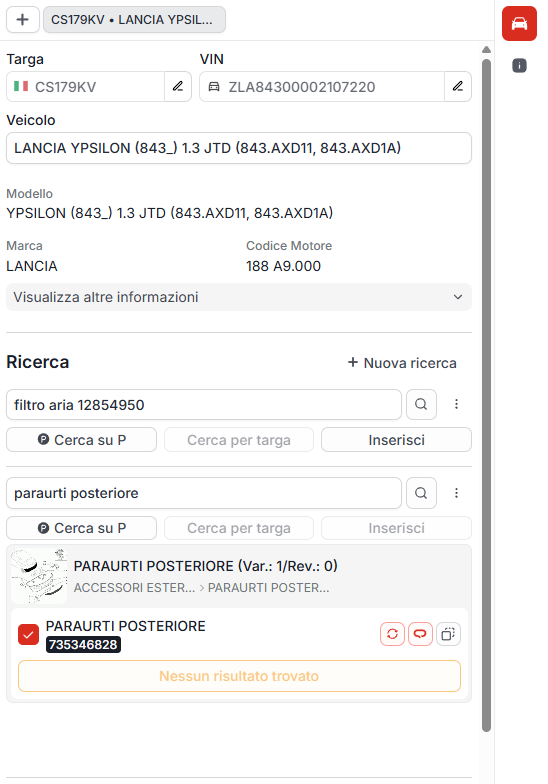
The right section is dedicated to technical search.
Here, Quoting24 automatically shows:
- license plates
- VINs
- vehicle information
- components identified in the conversation
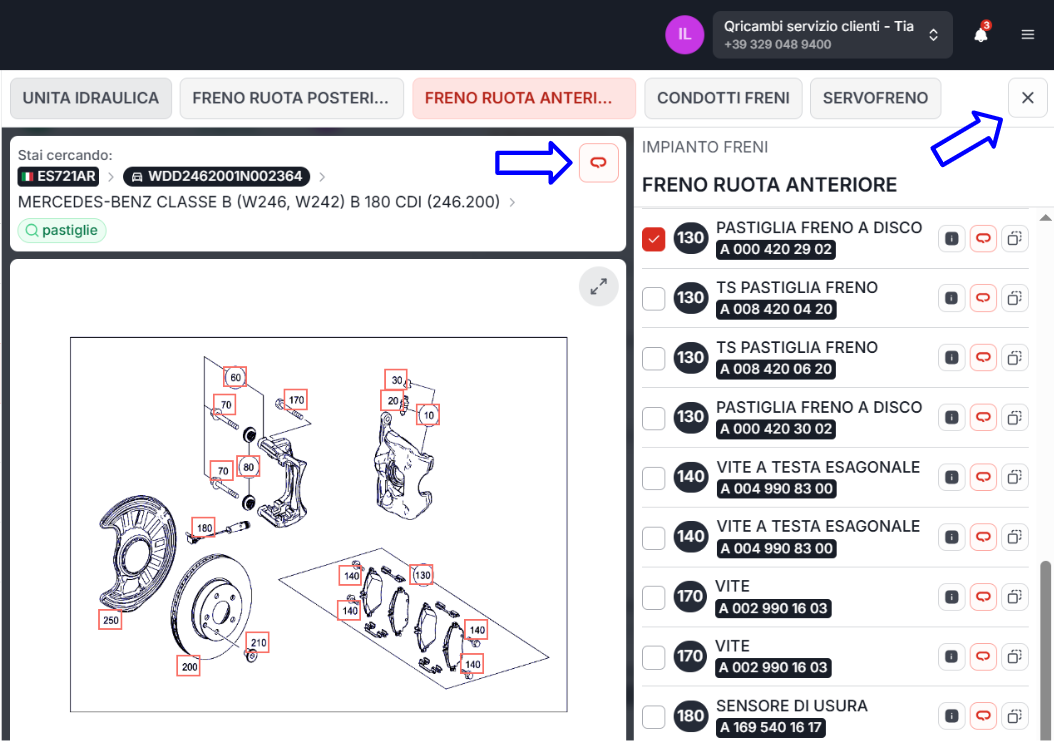
Through the exploded views you can:
- identify the correct spare part code
- search for it on Qricambi
- quickly start creating the quote
👉 Learn more:
Automations and intelligent assignments
Quoting24 includes advanced features to reduce manual work:
-
Automations
Automatic search for license plates, VINs and spare parts
👉 Go to Automations -
Automatic ticket assignment
Intelligent assignment based on: - label
- company
- contact
👉 Go to Automatic assignments
This allows you to:
- reduce response times
- avoid routing errors
- work in a structured way even with many operators
Collaboration between operators
Quoting24 is designed for teamwork.
Available features include:
- roles (administrators and members)
- ticket assignments
- internal notes
- customizable notifications
- unified notifications, even across multiple phone numbers
- delivery shifts assignable to companies
👉 Learn more:
Integration with Qricambi
Quoting24 is deeply integrated with Qricambi.
This allows you to:
- use the same credits
- search for spare parts from internal and external suppliers
- create quotes on Qricambi
- send them to the customer directly from the chat
👉 Learn more:
The workflow becomes continuous:
request → search → quote → customer response
Where to start
The Quoting24 Wiki can also be accessed from the application, in Settings at the bottom left.
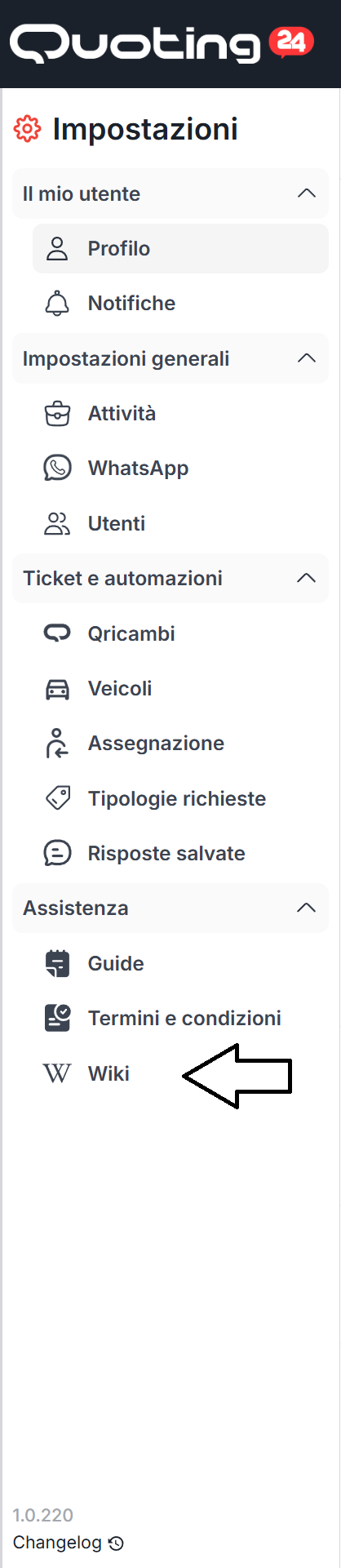
If you are new to Quoting24, we recommend this path:
This will give you a complete overview of how the platform works before going into the details.